
← The Notebook · AI Tools
1 Minute: Generate Your UC Honors & Activities Table with ChatGPT
ChatGPT 1分钟生成加州UC申请荣誉活动表格
The CA table tool has now been used by 800+ students. Here is the full walkthrough for the UC Honors & Activities GPT available on ChatGPT — step by step, with screenshots.
How to use it
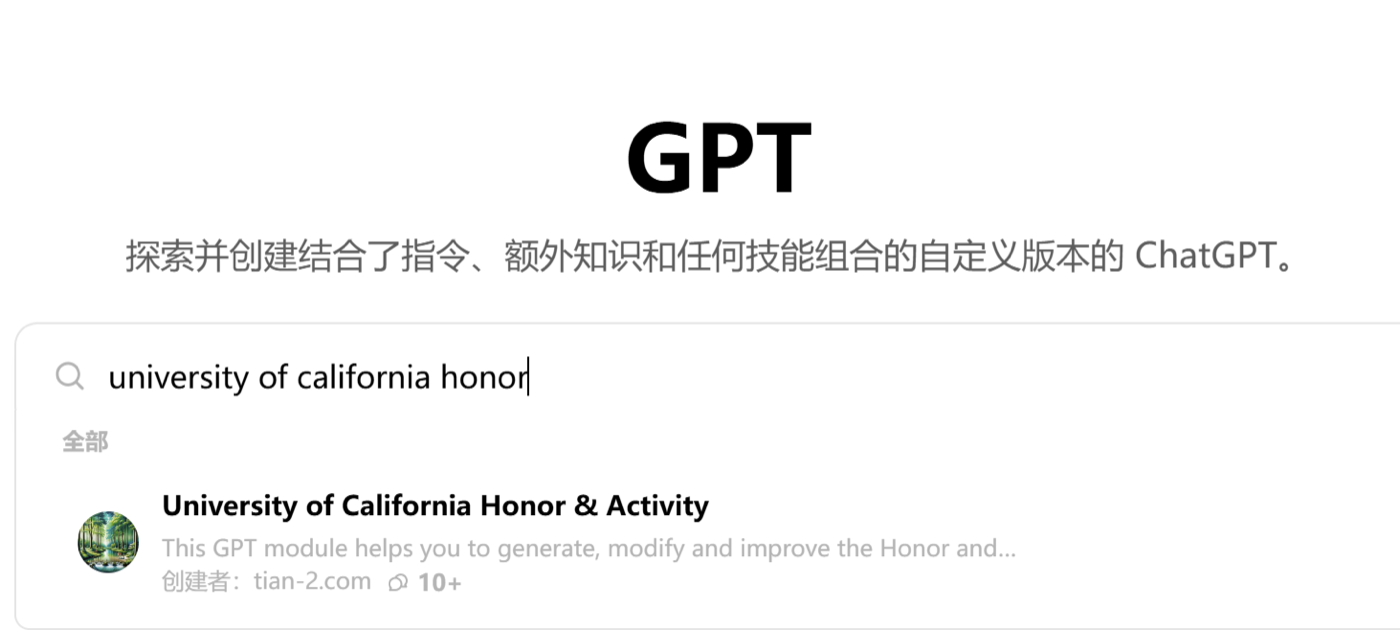
- Open ChatGPT. On the left sidebar, click Explore GPTs. In the search box, type University of California Honor. Find the GPT published by tian-2.com and open it.
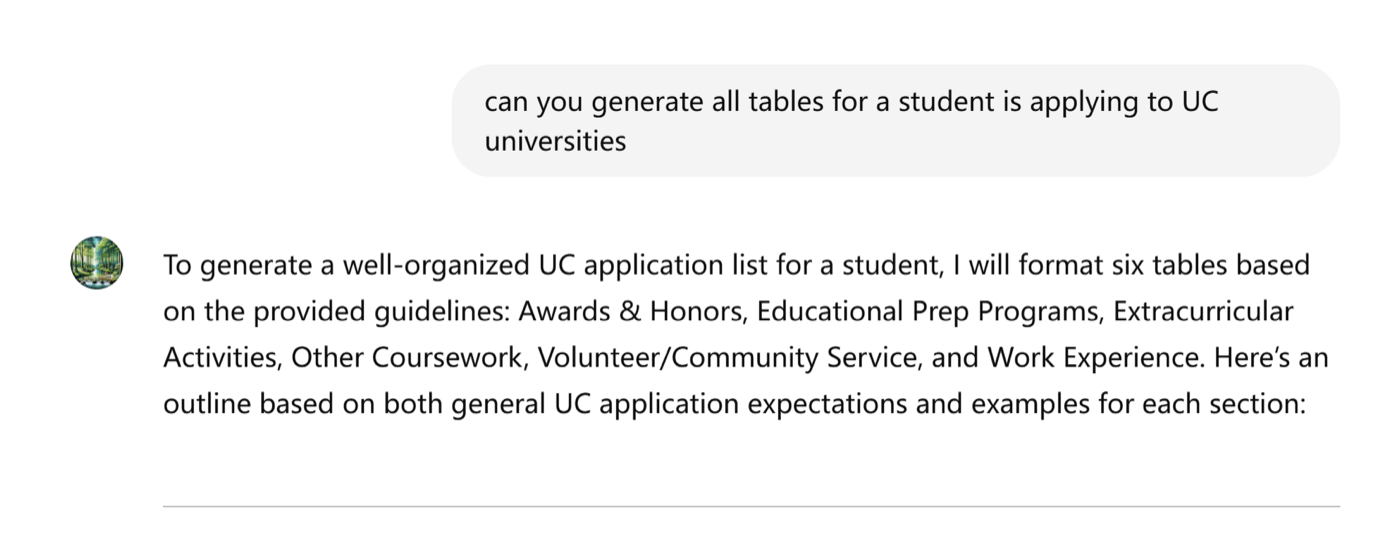
- Enter your honors, awards, and activity information when prompted. In the demo below, the AI generates a fictional example to illustrate the format and show what it knows about the UC application.
- The tool generates each section of the table in order, formatted exactly as UC requires. Copy and paste directly into your application.
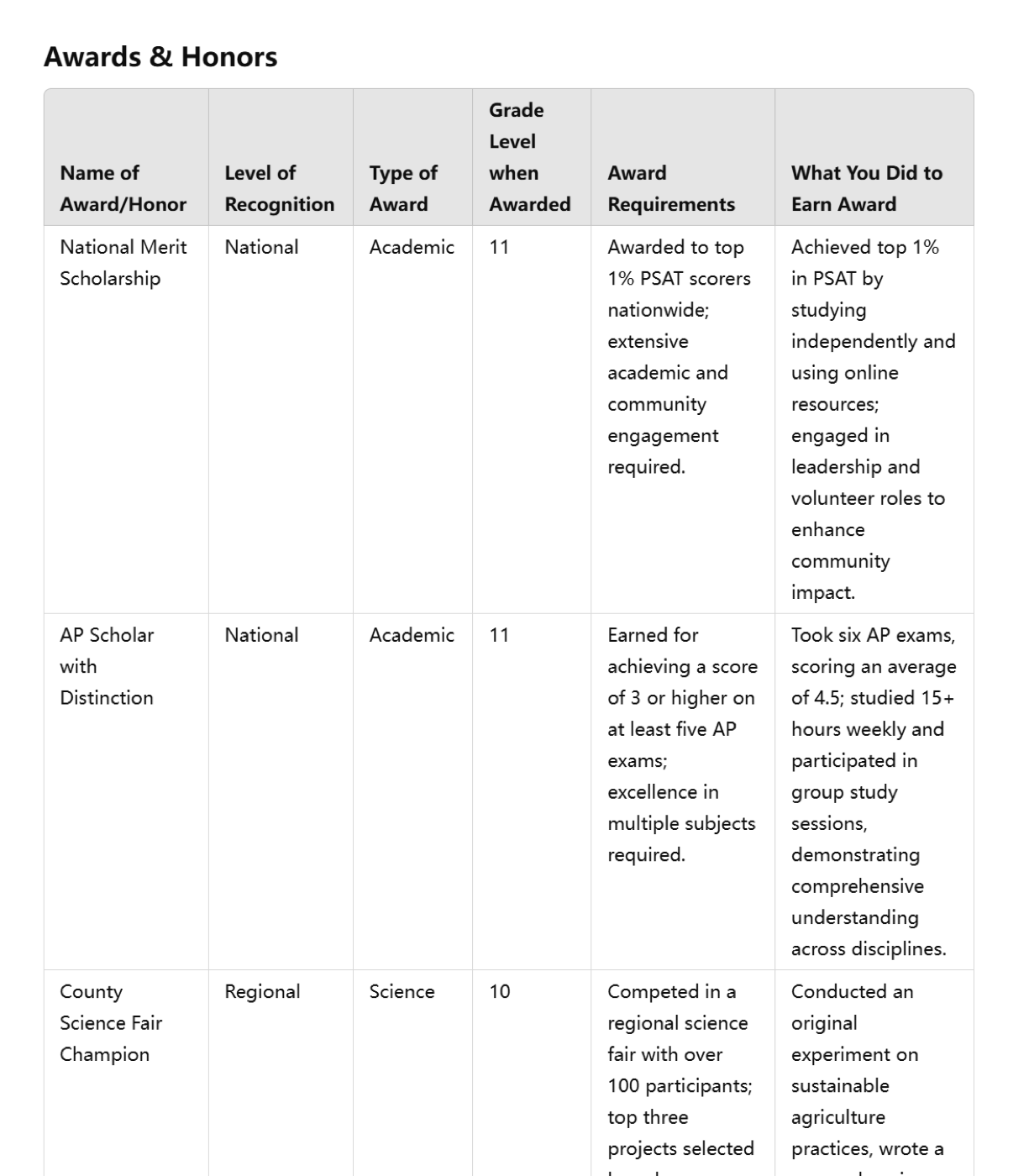
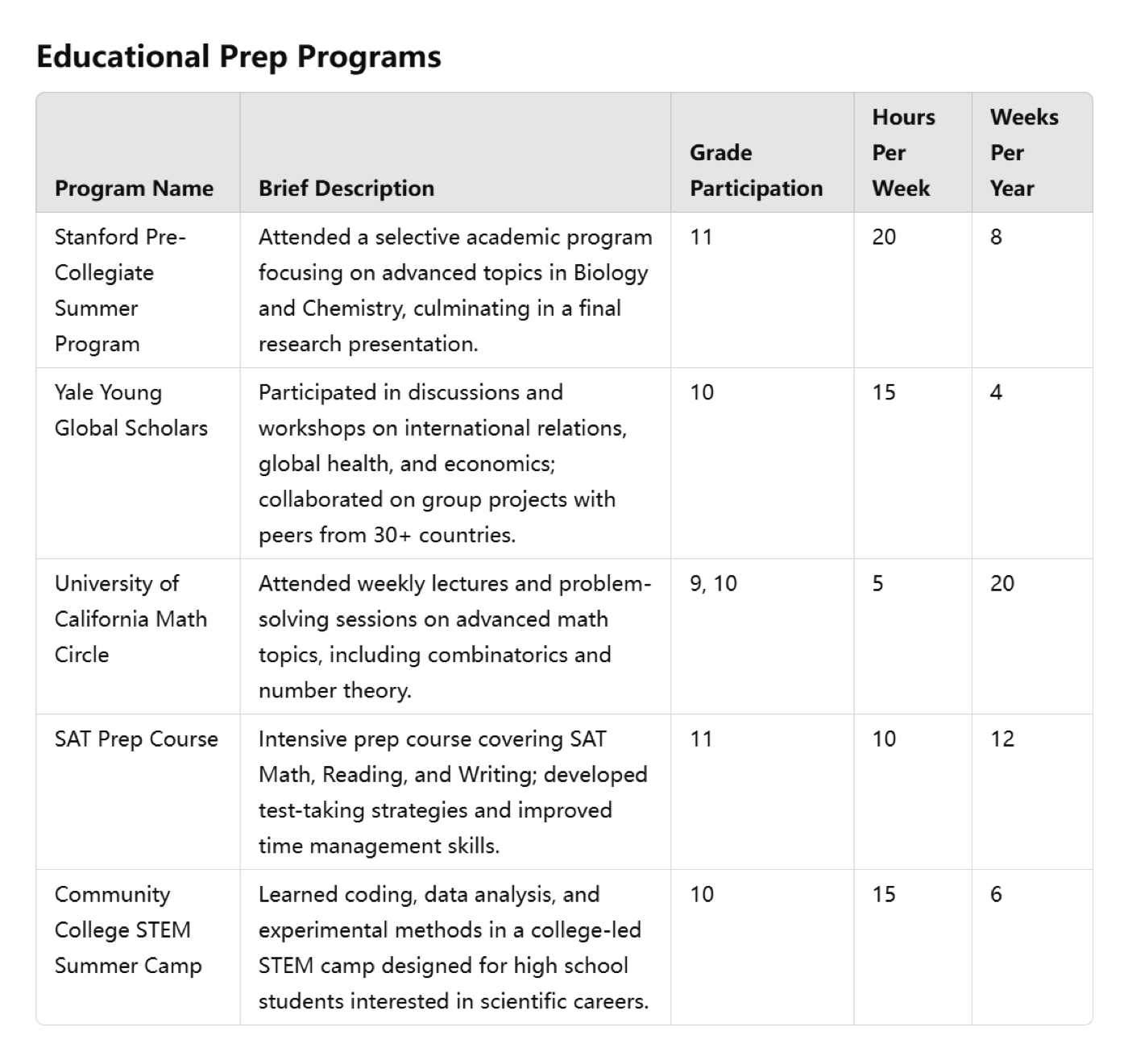
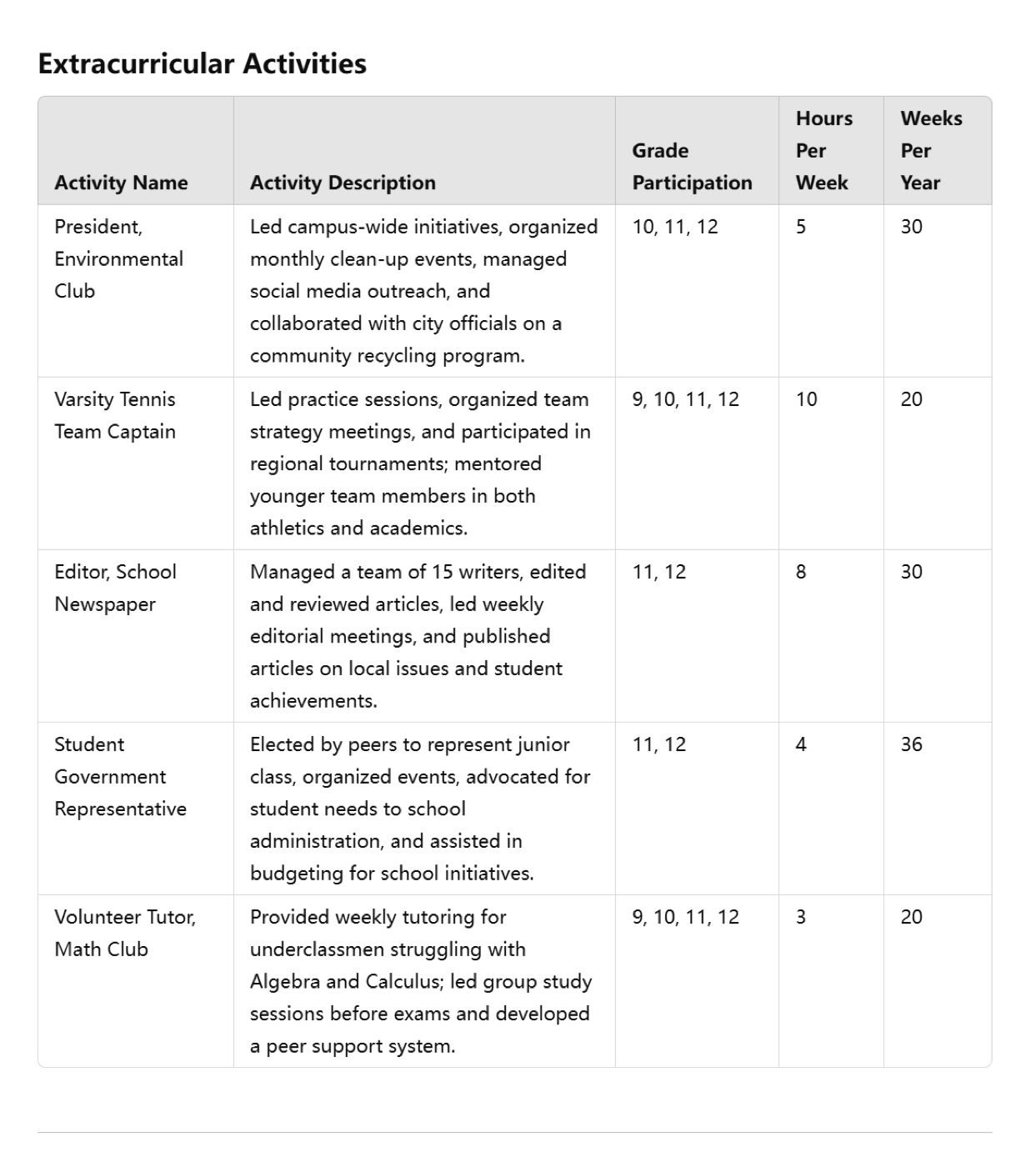
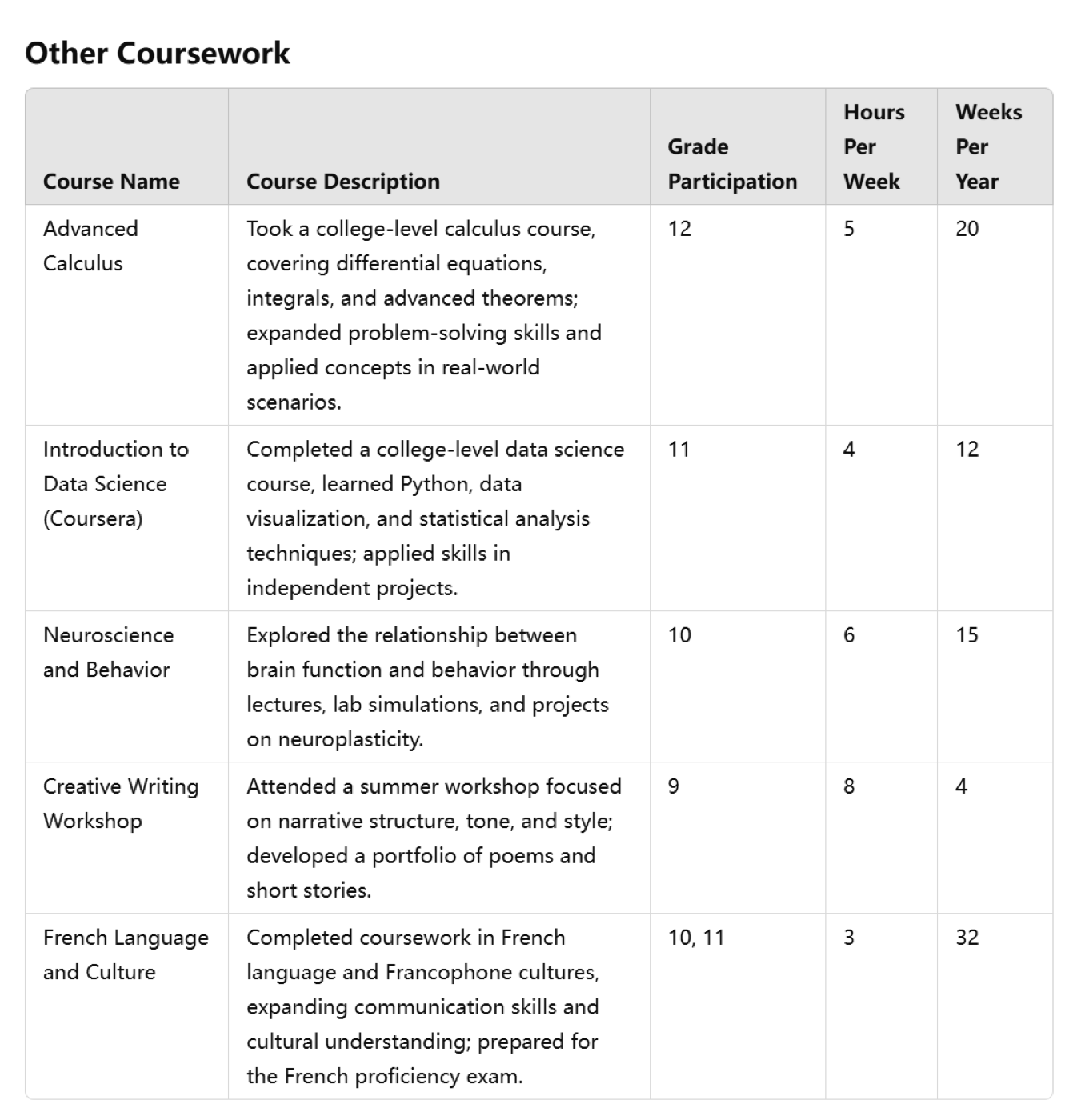
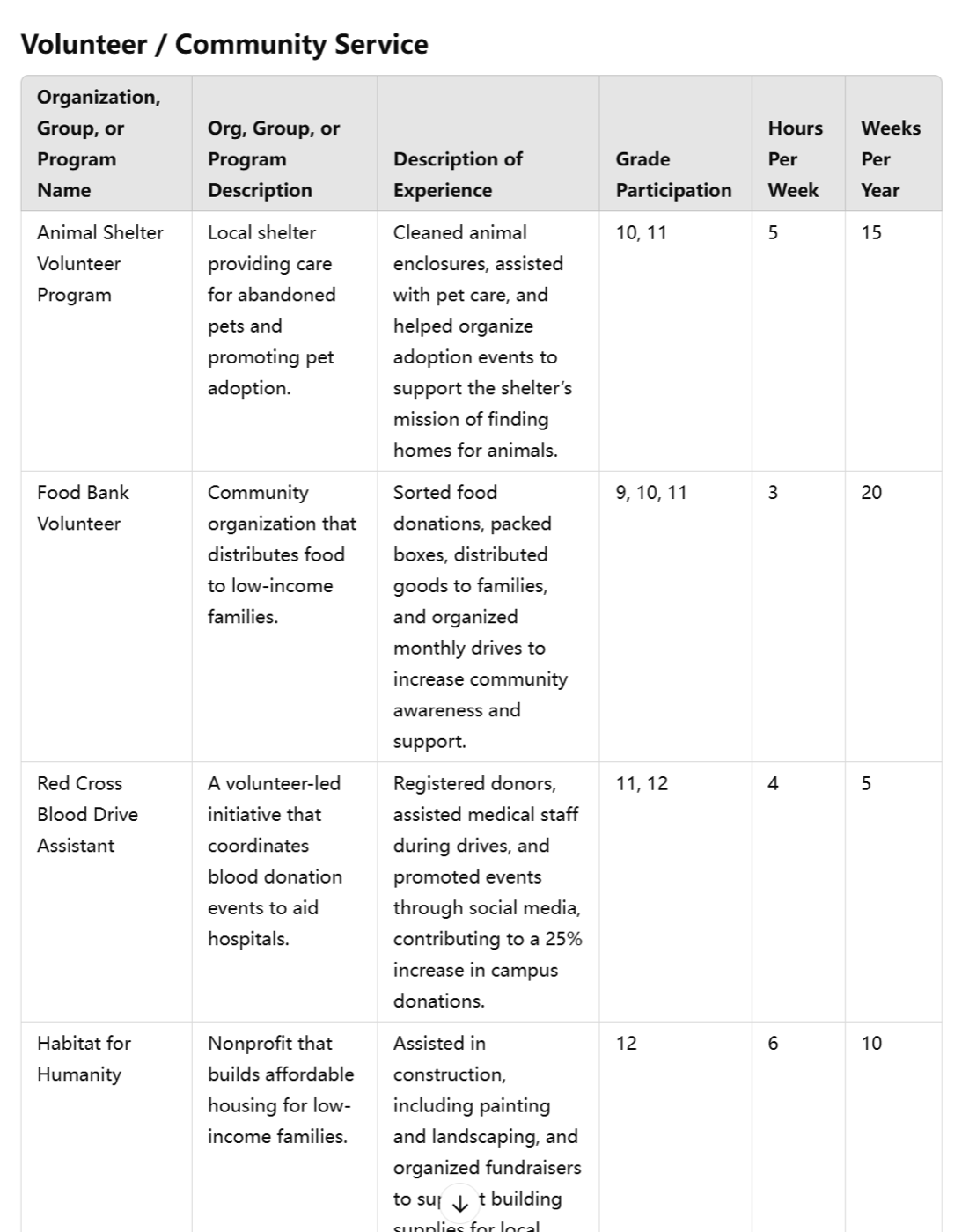
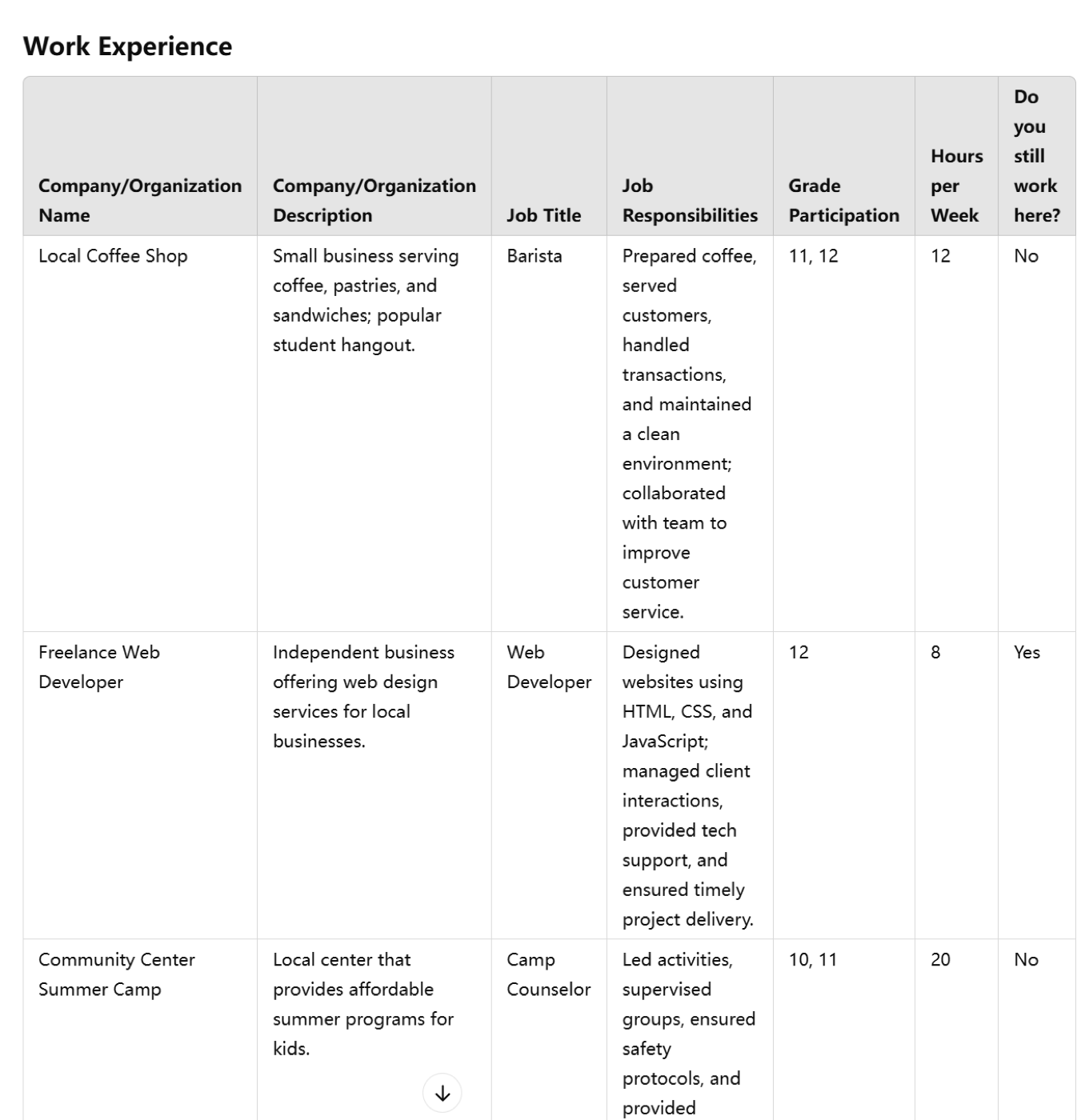
The whole process takes under a minute. If anything needs adjusting, just tell the GPT what to change and it will regenerate. The output is formatted to UC specifications and can be copied directly into the application.
This tool is for drafting assistance only. All content must be verified by the student for accuracy before submission. AI-generated content is a starting point, not a finished product. Unofficial; not affiliated with the University of California system.